
Need help with Clickker? We’re here to help.
Do you have a question about Clickker, is a link not working as expected, or do you need technical support? We can help you investigate and resolve any issues via our helpdesk.
In an emergency: +31 591 652 400

Clickker support
How can we help you?
Support via email
Help with error messages, connection problems and other technical queries.
Remote assistance
Allow our helpdesk to view your screen securely via TeamViewer.
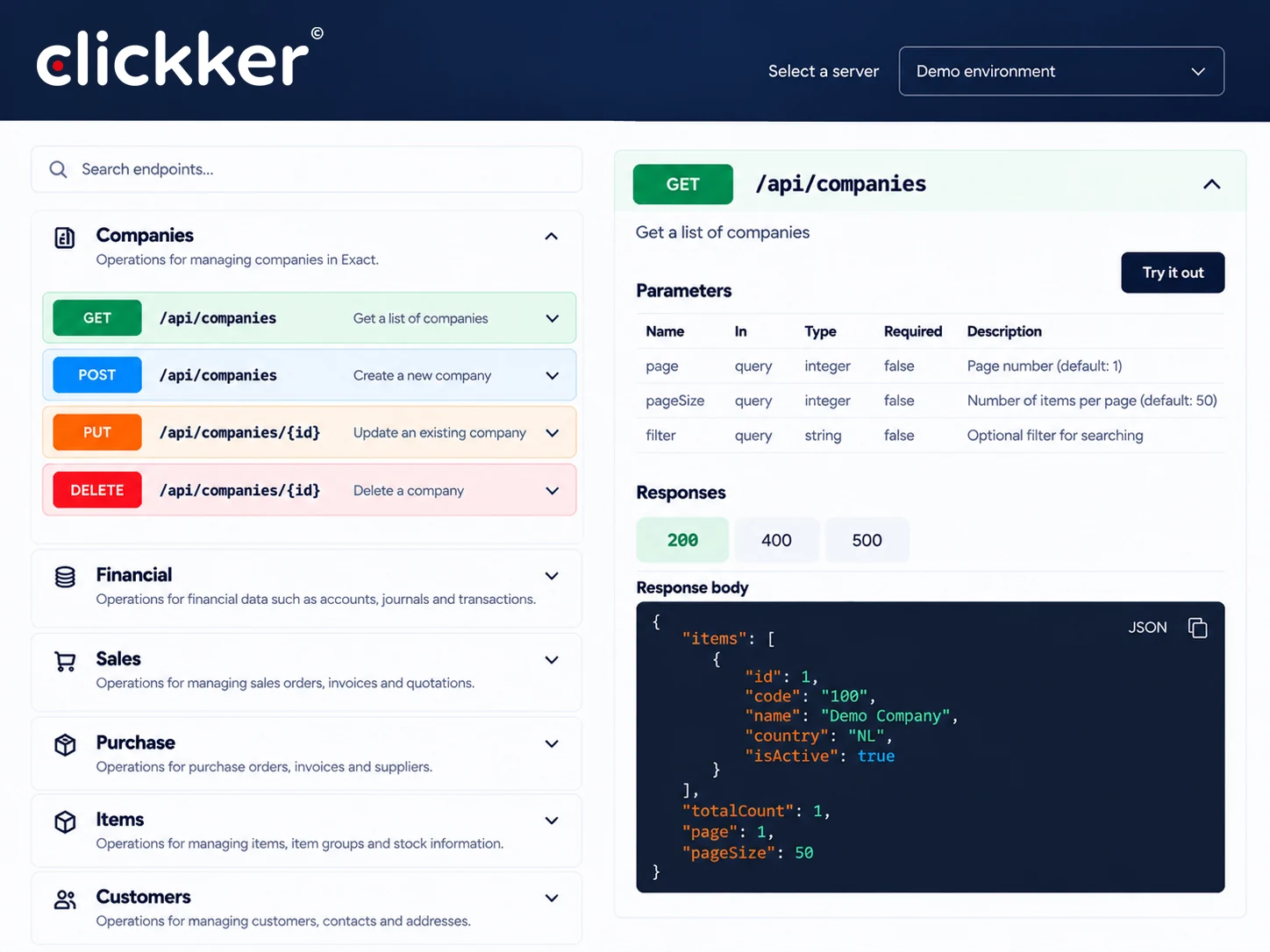
API documentation
View the available API endpoints and technical capabilities.
Frequently Asked Questions
Answers to the most frequently asked questions about Clickker.
Remote Support: how it works
With TeamViewer QuickSupport, our helpdesk can, with your permission, temporarily view your computer remotely.

TeamViewer QuickSupport
For Windows & Mac | No installation required
- You remain in control. You can end the support session at any time.
Download TeamViewer
Click on the button on the right to
Download TeamViewer QuickSupport.
Launch the programme
Open the downloaded file.
No installation is required.
Please provide your details
You will see a TeamViewer ID and password.
Please pass this on to our helpdesk staff member.
Get support
With your consent, our staff member can
get in touch and help you.
Report a problem
To help you as quickly as possible, we would appreciate it if you could provide the following information:
Your company name and contact details
The Exact environment used
A clear description of the problem
The error message, if available
The moment the problem occurred
Any screenshots or relevant log data
Please send your report to
helpdesk@sense-cloud.nl
Frequently Asked Questions
Clickker release notes
Breaking changes
-
POST PurchaseOrder//Authorise
The HTTP method for this endpoint has been changed from GET to POST.
New features
-
GET FinancialPaymentTerm/DebtorInvoice
The customer number is now a mandatory field. -
GET FinancialPaymentTerm/CreditorInvoice
The supplier number is now a mandatory field. -
POST/PUT/GET Synergy/RequestNote
New endpoints added for creating and modifying
and retrieving notes from Synergy requests.
Improvements
-
POST Stock
Additional validation has been added to the article and whether it
whether it is a serial or batch item. -
POST Stock/Adjust
Additional validation has been added to the article and whether it
whether it is a serial or batch item.
Bug fixes
-
Purchase Order
The filter on ChangeDate was not working properly.
This problem has been resolved. -
RMA Order
The filter on ChangeDate was not working properly.
This problem has been resolved.
New features
-
POST Synergy/Contact Person
The YES/NO fields can now be filled in if desired. -
SynergyAccount
New model added. -
SynergyAccount (V2)
New model added. -
Sales Order
Fields for the debtor code (debcode) have been added. -
Purchase Order
Fields for the creditor code (crdcode) have been added. -
RMA Order
Fields for the debtor code (debcode) have been added.
Bug fixes
-
PUT Resource – PurchaseLimit
An incorrect validation was applied to the PurchaseLimit field
applied, making it possible to update an employee’s
was not possible. This validation has been removed. -
PUT Resource – Accounts Payable
In the AccountPayable field, the value was incorrectly set to
A or P expected. However, this field is intended for a
creditor code. The validation has been updated so that
A creditor code can be specified. If this
does not yet exist in cicmpy, a
A new creditor has been created.
New features
-
Permissions for all departments
It is now possible to use an asterisk (*) to denote the same
to grant permissions to all departments.
As a result, permissions no longer need to be set on a
to be set up separately for each administration.
Bug fixes
-
POST Stock/Adjust
Where warehouse sites have been used in the past,
but as these are no longer in use, it was possible to
Discrepancies arise during stock-taking. As a result,
figures other than those
had been transmitted via the endpoint. This problem is
resolved. -
POST Stock
Where warehouse sites have been used in the past,
but as these are no longer in use, it was possible to
Discrepancies arise during stock-taking. As a result,
figures other than those
had been transmitted via the endpoint. This problem is
resolved. -
API calls without an API key
An error in the handling of API calls without
The API key caused an exception. This problem is
resolved.
Important points to note when using the Stock endpoints
When using POST Stock and POST Stock/Adjust, we recommend
we need to remove the following DLL files from the folder
C:inetpubclickkerbin:
- Exact.SDK.Connect.dll
- Exact.SDK.CRM.dll
- Exact.SDK.FinEntry.dll
- Exact.SDK.FuncProcess.dll
- Exact.SDK.Invoice.dll
- Exact.SDK.Item.dll
- Exact.SDK.Order.dll
- Exact.SDK.Production.dll
Important information about updates
To receive future updates, you will need to
place files in the installation folder of Clickker, where
where the updater is also located. You have previously received a
received an email from us.
Did you not receive this email? If so, please get in touch via
helpdesk@clickker.nl
or visit the
Guide to manual adjustment
.
Having trouble installing the update?
If you encounter any problems whilst updating, you can
Please check the following:
-
SQL permissions
If necessary, temporarily grant the Clickker SQL user
System administrator rights, so that the Clickker database functions correctly
can be updated. In some cases, this is
necessary. Remove these additional permissions after the update. -
Enable database update
Enter the following in the file web.config in the folder
C:inetpubclickker the institution
Update Databases on yes.
After the update, this setting will be set automatically
reset to no. That is correct. -
Manual adjustment
Have you received the manual that was previously sent to you by email?
Has the adjustment not yet been carried out? If not, please carry it out now.
Please refer to the
Guide to manual adjustment
.
New installations from 30 June 2026
For new installations of Clickker from 30 June 2026
the following must be specified: Exact accounts
must be accessible to Clickker. This can be
set via the
leave forms
.
New features
-
POST Invoice/Process
It is now possible to process a sales invoice
based on an order number. -
POST/PUT ItemNumber/Bulk
New endpoints added for bulk creation
and updating serial and batch numbers. -
POST SalesOrder/WMS//Lock
and Unlock (V2)
It is now possible to lock sales orders
and to unlock within WMS licences. When WMS
is not included in the licence, the V1 variant must
to be used. -
POST PurchaseOrder/RMAOrder/RTVOrder/
/Lock and Unlock (V2)
New functionality for locking and
Unlocking orders within WMS licences.
There is no V1 variant available for this feature. -
POST PurchaseOrder//Return
It is now possible to place a full order or
RTV order to be returned. -
POST RTVOrder/AddNewLine
New endpoint added for adding
an order line on an RTV order. -
POST RMAOrder/AddNewLine
New endpoint added for adding
an order line to an RMA order. -
Permissions per API key and Exact administration
It is now possible to set individual
to grant permissions to specific
Exact accounts. By default, all
accounts accessible with the same permissions.
This access can now be restricted on a per-organisation basis.
For further information, please refer to the
Guide to adding a business
. -
SalesOrder – Delivery Debtor Status Code
The DeliveryDebtorStateCode field has been added to
the SalesOrderHeader. -
GET Address
It is now possible to retrieve addresses and to
filter by address type or date of change. -
PUT/POST ContactPerson
The MainContact field is now optional.
Improvements
-
Clickker Updater
Various improvements and solutions have been implemented
for the Clickker Updater. -
GET ProductionOrderHeader
Various improvements have been made to the query
for collecting production orders.
Bug fixes
-
POST Stock/Adjust
When a specified warehouse location does not exist
in the database, an error message is now returned. -
POST PurchaseOrder/ReturnPartial
An error message is now displayed when
the specified return quantity is greater than the
the quantity specified in the order line. -
POST SalesOrder/ReturnPartial
An error message is now displayed when
the specified return quantity is greater than the
the quantity specified in the order line. -
PUT Request
When updating a request, the
the correct Request-ID is used instead of the
Account ID.
