
Clickker Automation Suite
Creating links using drag-and-drop.
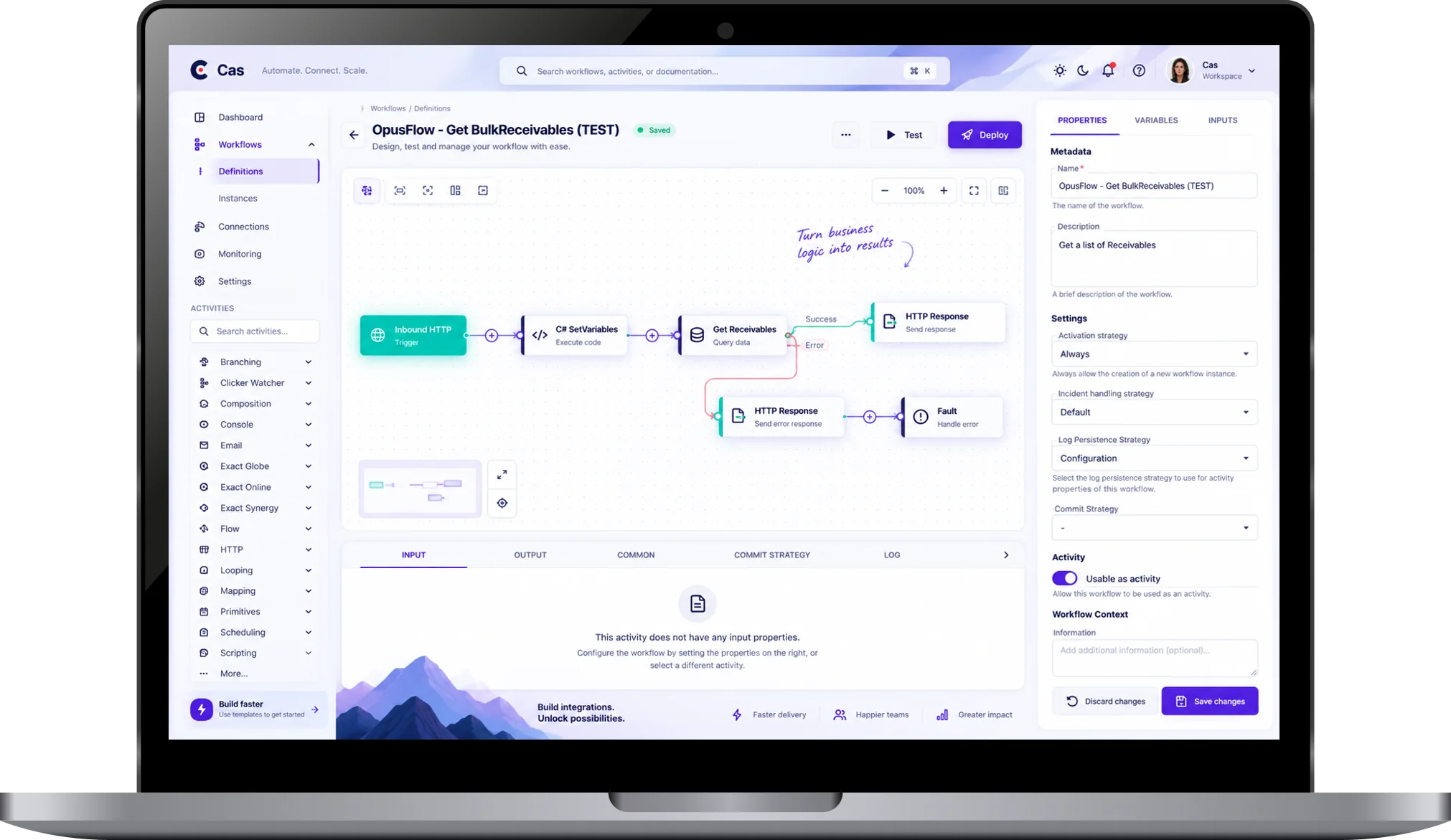
With CAS, you can create software connections via drag-and-drop using existing code, software functions and complete integration flows within our building blocks. This allows you to connect APIs, XML and CSV files more quickly and with less manual programming.

Build
Build visual integrations
Connect applications, define triggers and build complete integration flows using an intuitive drag-and-drop builder.
Map
Link data models
Bring together data from different systems and determine how information is exchanged between applications.
Enrich
Transform your data
Edit data, combine information from different sources and add business rules to your integration.
Automate
Let processes work for you
Automate integration processes and minimise manual work with reusable workflows.
What is the Clickker Automation Suite?
A single environment for all your integrations.
Many software integrations involve similar technical functionality. Examples include retrieving data, processing files, converting data structures and communicating with applications.
Traditionally, these components are reprogrammed with every new integration.
CAS was developed based on a different idea: why keep writing the same code over and over again when existing functionality can be reused?
With CAS, you can build integrations using a visual development environment. You combine pre-developed building blocks, configure the required functionality and, in doing so, put together complete integration processes.
This makes bespoke development faster, more consistent and easier to manage.
Creating drag-and-drop headings
Faster development with building blocks
Many integrations consist largely of repetitive technical tasks. Yet these components are often redeveloped from scratch.
CAS enables existing functionality to be defined as pre-installed building blocks. These blocks contain pre-built code and can be easily added to new integration flows. By combining building blocks, you can create a complete integration without having to start from scratch every time.
Pre-programmed building block
Use existing functionality for common integration tasks and applications.
Developing our own building blocks
Define specific code and functionality as components that can be reused.
Easier to maintain
Work using standardised components and avoid unnecessary differences between integration projects.
Contents of a code block
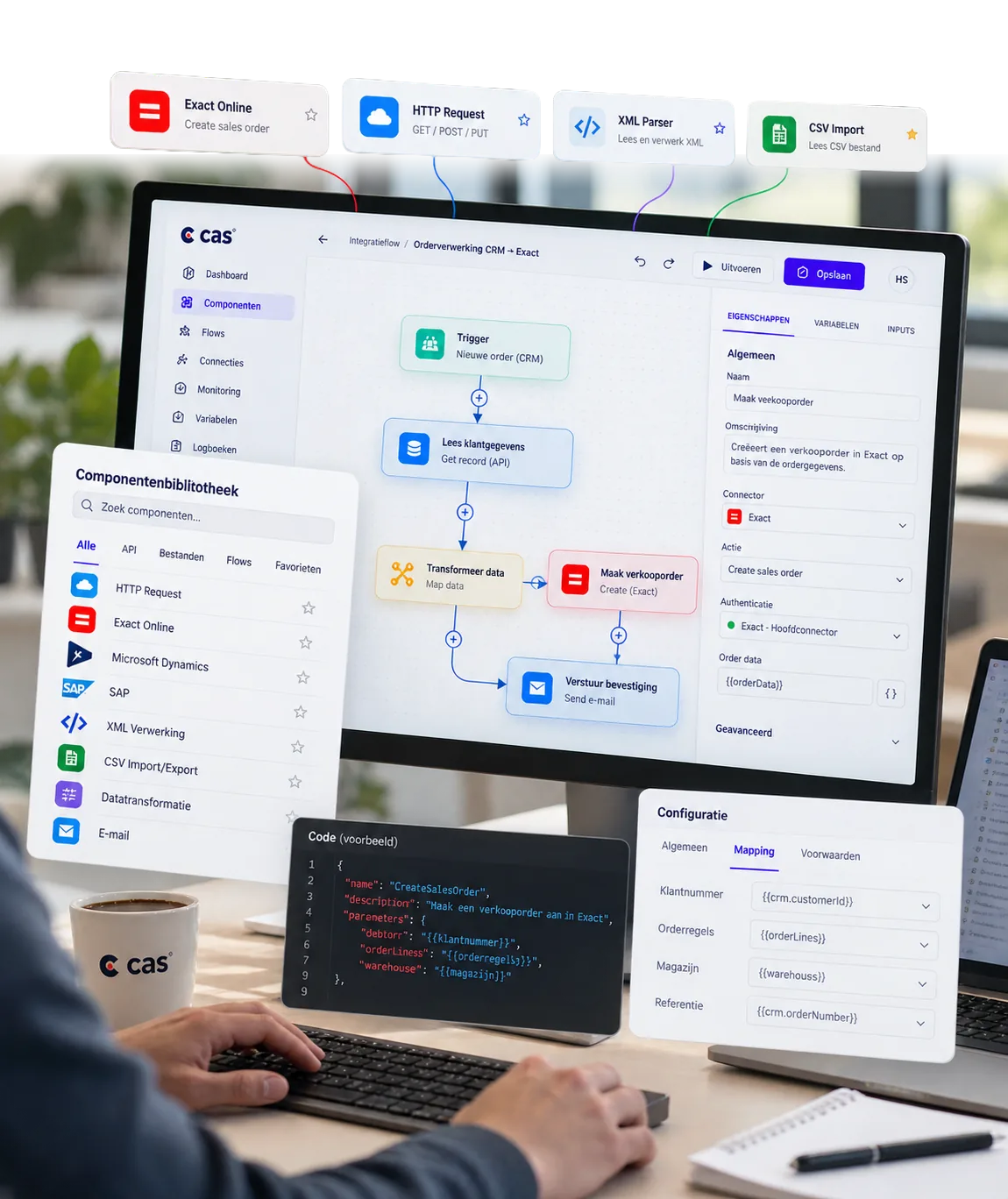
Existing code, standardised and ready for use.
A building block contains pre-developed software functionality that you can use straight away in an integration flow.
From API calls and XML or CSV processing to data transformations and complete workflows.
A growing library of building blocks
+70 leading apps, ready to connect.
CAS offers an extensive library of pre-built code blocks for more than 70 leading applications, including CRM, ERP and e-commerce systems, databases and web services. We standardise every new API integration and add it to CAS free of charge. This means you benefit from an ever-increasing range of ready-to-use functionality, save on development time and avoid duplicate investments. The Clickker and the various Exact platforms are also available, but CAS operates completely independently of Exact.


































Who is it for?
For developers and
IT departments
CAS has been developed for developers and IT departments who wish to build and manage software integrations independently. With a visual development environment and reusable code, you can develop integrations more quickly, reduce repetitive programming work and maintain control over your integrations.




 Dutch
Dutch  English