
Why check things manually when your systems can do it for you?
Why carry out the same checks over and over again? Find out how CAS can help you automate repetitive tasks, reduce errors and save valuable time.
2 mins’ read time
In this article
Every organisation is familiar with them: recurring tasks that aren’t complicated in themselves, but which, taken together, take up a fair amount of time.
Checking product details. Adjusting retail prices. Comparing information across different systems. Or manually transferring data from one application to another.
This often happens simply because that is how it is set up.
However, if an employee carries out the same check every day, it is worth looking into whether software could take over this task.
How much time do small, repetitive tasks take?
Suppose an employee checks every day whether certain items in a warehouse are priced correctly.
If a discrepancy is found, the member of staff adjusts the price.
A single check might only take a few minutes. But when there are a lot of items and the checks have to be carried out regularly, the time spent on them adds up.
Furthermore, there remains a risk that an item will be overlooked or that a change will be implemented incorrectly.
From manual checks to an automated workflow
With Clickker Automation Suite (CAS) you can convert routine tasks into automated processes.
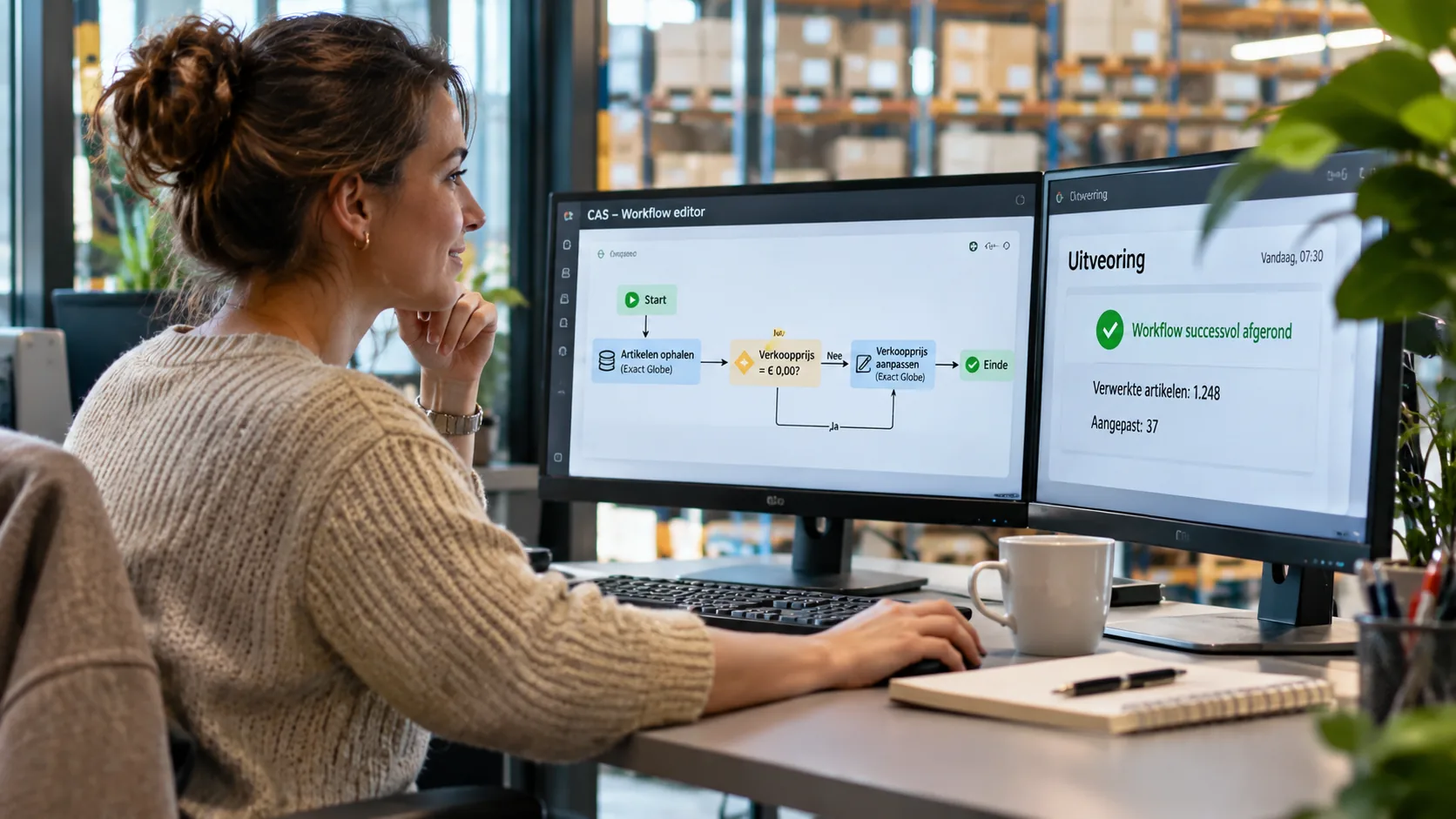
CAS uses visual workflows consisting of individual activities.
A workflow for checking product prices could, for example, work as follows:
1. Retrieve the relevant items from the ERP system.
2. Check for each item that the set retail price is correct.
3. Identify which articles need to be amended.
4. Make the necessary changes.
5. Record any errors.
Staff no longer need to check all the items themselves.
Automation based on your own business rules
Not every company operates in the same way.
That is why it is important for any automation to be tailored to the rules and exceptions within your organisation.
Certain conditions may apply only to a specific product group, department or warehouse.
Or does data need to be checked first before it is forwarded to another application?
Within CAS, such conditions can be incorporated into the workflow.
In this way, it is not simply a task that is automated, but rather the business process behind it.
Processes between different applications as well
Automation becomes even more interesting when multiple systems are involved.
Consider, for example, data that needs to be transferred from a CRM system to the ERP system, or information from a warehouse application that needs to be processed in the accounts.
CAS enables data to be retrieved, checked, edited where necessary and then forwarded.
CAS uses the Clickker API to communicate with Exact Globe. Other systems can be integrated, for example, via available APIs.
Start small, think bigger
Automation doesn’t necessarily have to be a large-scale project straight away.
A clear, routine task can be a good starting point.
Once that initial automation is working properly, you can explore which other processes could be set up using the same principle.
Furthermore, parts of existing workflows can be reused.
Which tasks would you like to automate?
It often starts with a simple question:
*What tasks do our staff carry out on a regular basis, even though the rules are already in place?*
These are interesting candidates for process automation.
Sense Cloud would be happy to help you identify these opportunities.
Together, we will look at which processes can be automated, which systems are involved, and what a suitable solution might look like.
