
What is Clickker Automation Suite (CAS) and how does it work?
Discover how Clickker Automation Suite (CAS) automates business processes and enables applications to work together. From simple checks to comprehensive workflows.
3 mins’ read time
In this article
Companies are using more and more software. An ERP system for administration, a CRM system for customer relations and, for example, a WMS for the warehouse. But how do you ensure that all these applications work together effectively and that business processes are automated as much as possible?
Clickker Automation Suite (CAS) is the low-code automation platform from Sense Cloud that enables you to automate business processes and integrate various applications.
From simple data checks to complex workflows involving multiple systems.
What is the Clickker Automation Suite?
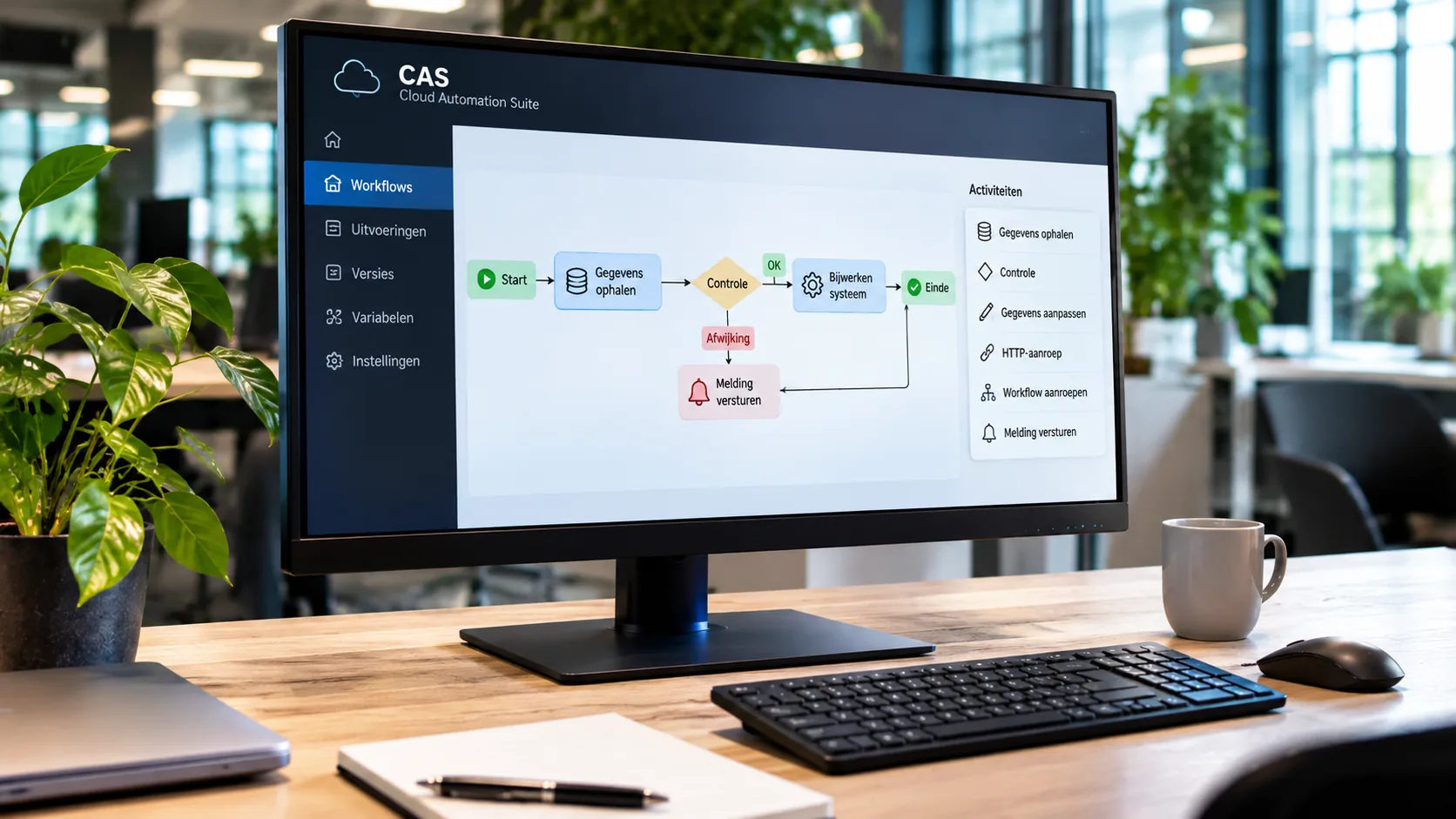
CAS is software that allows you to build automated processes from individual activities.
Instead of developing an entire process as a single large programme, you build a workflow from smaller components.
Each activity has its own task.
For example, an activity may retrieve data from an application, carry out a check, modify information or forward data to another system.
By visually linking these activities, an automated business process is created.
How does a workflow work in CAS?
Suppose you want to synchronise customer data from a CRM system with your ERP system.
A workflow may therefore consist of various steps:
- Retrieve updated customer details from the CRM system.
- Check that the information is complete.
- Determine whether the customer already exists in the ERP system.
- Prepare the necessary information.
- Create or update customer details.
- Record the result of the processing.
Each step is carried out by one or more activities.
Depending on the result, the workflow can carry out various subsequent steps.
This way, you can also incorporate exceptions and error handling into the process.
Reusable components make automation easier to understand
A key feature of CAS is that workflows can be reused.
Suppose that several processes need to carry out the same check.
That way, the check won’t have to be rebuilt every time.
You can place the relevant logic in a separate workflow and call it from other workflows.
In addition, input values can be provided and results can be received.
This makes it easier to break down complex automation processes into manageable parts.
CAS and Exact Globe
For organisations that use Exact Globe, CAS can utilise the Clickker API.
Clickker API is the API solution developed by Sense Cloud that enables external applications to communicate with Exact Globe.
Within this combination, each product has its own role:
- Clickker API handles communication with Exact Globe.
- CAS carries out the automated process steps.
- Watcher can be used to identify and report errors.
Incidentally, CAS is not intended exclusively for Exact Globe.
Other applications can also be integrated into a workflow via available integrations and APIs.
Insight into implementation
When a process is carried out automatically, you want to be able to check what has happened.
CAS therefore provides an insight into the individual activities within a workflow.
You can see which steps were carried out, what data was used and what the result was.
CAS also features version control.
When a workflow is modified and published, a new version is created. Previous versions remain available, so that changes can be traced and a previous version can be reused.
Testing and management
CAS offers the option to test individual activities using specific input data.
In addition, workflows can be exported and imported.
This is useful, for example, if you want to set up automations in a development or test environment first, before deploying them to a production environment.
Can CAS be used without any knowledge of programming?
CAS is a low-code platform, but that does not mean that every automation process can be implemented entirely without code.
Visual building blocks are available for standard activities.
JavaScript may be required for more complex data processing or specific business rules.
Organisations can choose to develop workflows themselves or to involve Sense Cloud in this process.
A combination of the two is also possible, whereby staff define the business process and technical specialists implement the necessary logic.
What can CAS do for your organisation?
CAS is of interest to organisations that wish to automate recurring tasks, improve the integration of existing applications or gain greater control over their data flows.
It doesn’t necessarily have to be a large-scale integration project.
Even a simple check or data processing exercise can be a valuable first step.
Would you like to find out how Clickker Automation Suite can be used within your organisation?
Sense Cloud is happy to help you assess the options and design and implement suitable automation solutions.
