
Automatically check and adjust product details in Exact Globe
Do you manually check product details in Exact Globe? Find out how CAS and Clickker API can automatically update retail prices and other product details.
3 mins’ read time
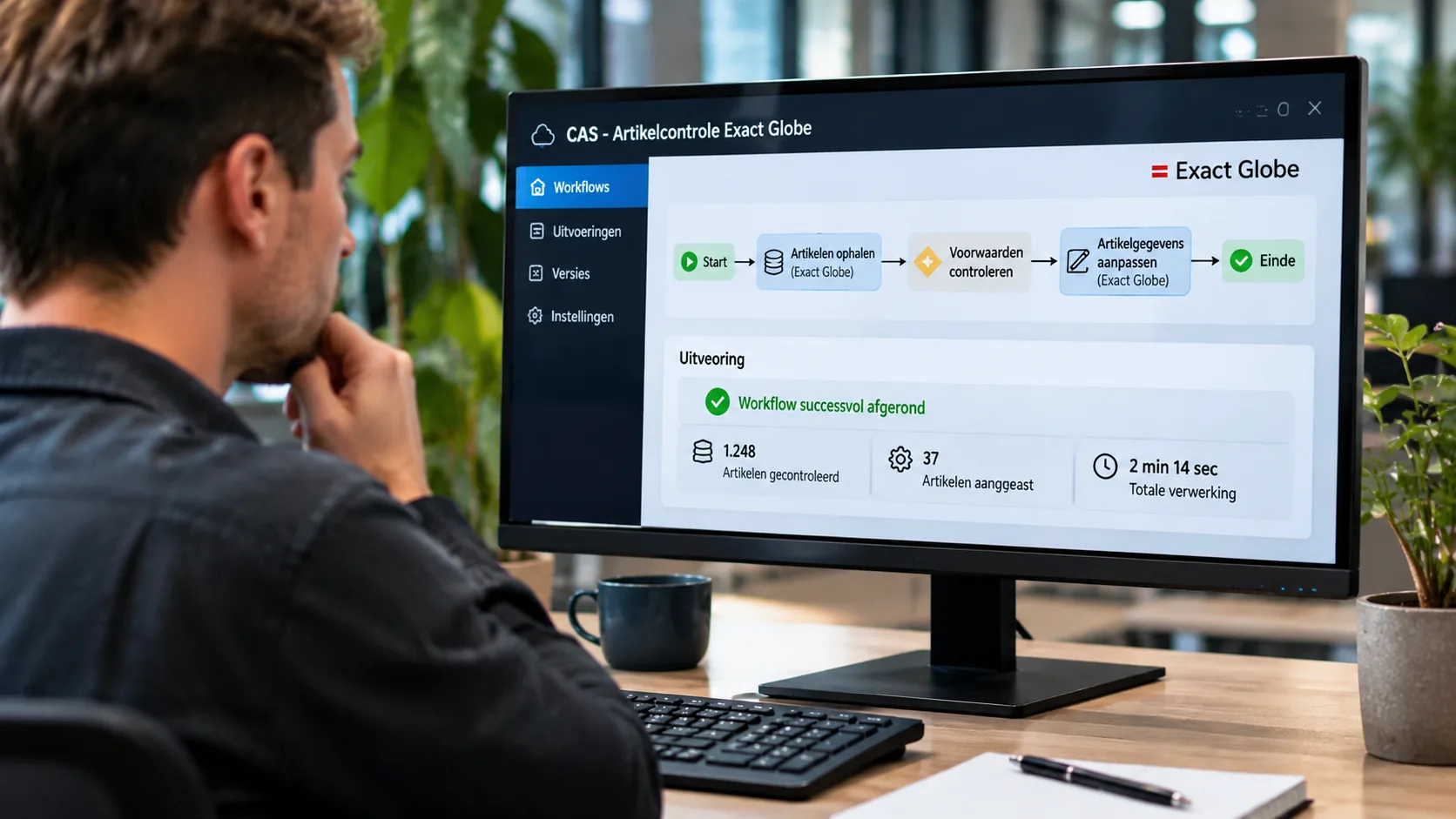
Do you use Exact Globe, and are product details still regularly checked or updated manually? If so, there’s a good chance that some of this work could be automated.
Consider sales prices, purchase prices or other item details that must comply with specific business rules.
With Clickker Automation Suite (CAS) and the Clickker API, Sense Cloud can automate such checks and changes.
The problem: product details must meet specific requirements
Within many organisations, specific rules apply to product data.
For example, it may be necessary for items in a particular warehouse to always have a retail price of zero euros.
A member of staff can check this regularly and correct any discrepancies.
But what if you have hundreds or thousands of items?
In that case, even a simple check like that can easily take a lot of time.
Furthermore, errors can occur when data is updated manually.
How does an automatic item check work?
With CAS, you can set up a workflow that retrieves, checks and, where necessary, amends product data from Exact Globe.
Step 1. Retrieve item details
Using the Clickker API, CAS retrieves the relevant item data from Exact Globe.
The data required depends on the business rules you wish to check.
Step 2. Process the items individually
CAS offers functions that allow you to cycle through a list of data.
This allows the workflow to determine, for each item individually, which next steps are required.
Step 3. Checking the correct terms and conditions
The system then checks whether the item meets the specified criteria.
For example, whether the selling price for the situation in question is equal to zero euros.
Is the value correct? If so, no action is required.
Is there a discrepancy? If so, the workflow can prepare the necessary change.
Step 4. Edit product details
Within the workflow, one or more data fields can be modified.
JavaScript can be used for specific data operations.
It is also possible to combine several checks before the updated data is written back.
Step 5. Apply changes in Exact Globe
Once the data has been prepared, CAS uses the relevant update activity to send the changes via the Clickker API to Exact Globe.
In this way, data processing becomes part of a single automated process.
Multiple checks within the same workflow
An automatic item check does not have to be limited to a single field.
Depending on the available data and the required business rules, several checks may be combined.
For example, a check on the selling price, followed by a further check on other product details.
CAS offers a range of activities for this purpose, which can be carried out sequentially or in combination.
Furthermore, with a so-called ‘Join’ activity, you can configure the workflow to wait until certain preceding activities have been completed.
What happens if an error occurs?
Things can go wrong with automated data processing too.
It may be that Exact Globe is temporarily unavailable, or that a particular item cannot be updated.
CAS provides a clear overview of which activities have been carried out and where an error occurred.
By combining the workflow with Watcher, a notification can also be sent automatically to the relevant member of staff.
Less manual work and more consistent product data
Automating product checks has several advantages.
Staff do not need to constantly check the same data; discrepancies can be corrected in accordance with set rules, and the process becomes more transparent.
When business rules change, the workflow can also be adjusted.
Which checks do you still carry out manually?
Not every check needs to continue to be carried out manually.
It is precisely those tasks that recur regularly and are based on clear criteria that are worth automating.
Would you like to know which tasks within your Exact Globe environment can be automated?
Sense Cloud would be happy to help you identify the possibilities and implement a suitable solution.
